Are you new to Yono Game apps and not sure how to get started? You are in the right place. In this guide, we will walk you through the complete Yono Game login and registration process step by step. Whether you want to create a new account, log in to an existing one, or simply try a Yono Game as a guest, we have covered everything below with screenshots for easy understanding.
Before you begin, make sure you have downloaded your preferred Yono Game APK from our complete Yono Games List.
All Yono Games List1. Open the Yono Game App
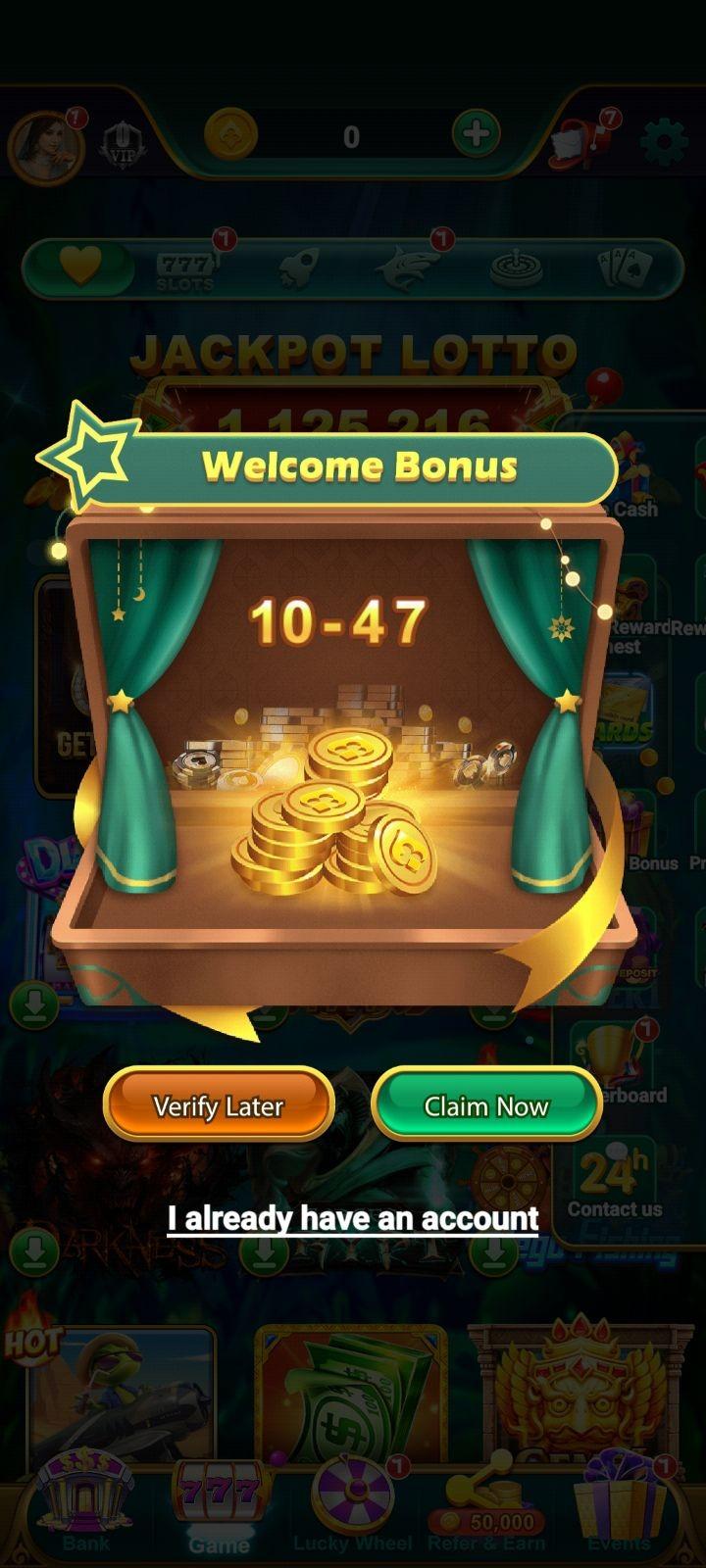
Once you have downloaded and installed the Yono Game APK on your Android device, open the app. The first screen you will see is the app's main interface, with a Welcome Bonus pop-up appearing automatically.
The Welcome Bonus pop-up shows the reward amount you will receive on registration. You will see three options on this screen:
Claim Now
For new users who want to register and claim the welcome bonus
I already have an account
For existing users who want to log in
Verify Later
To skip registration and explore the app as a Guest user
2. How to Register on a Yono Game App (New Users)
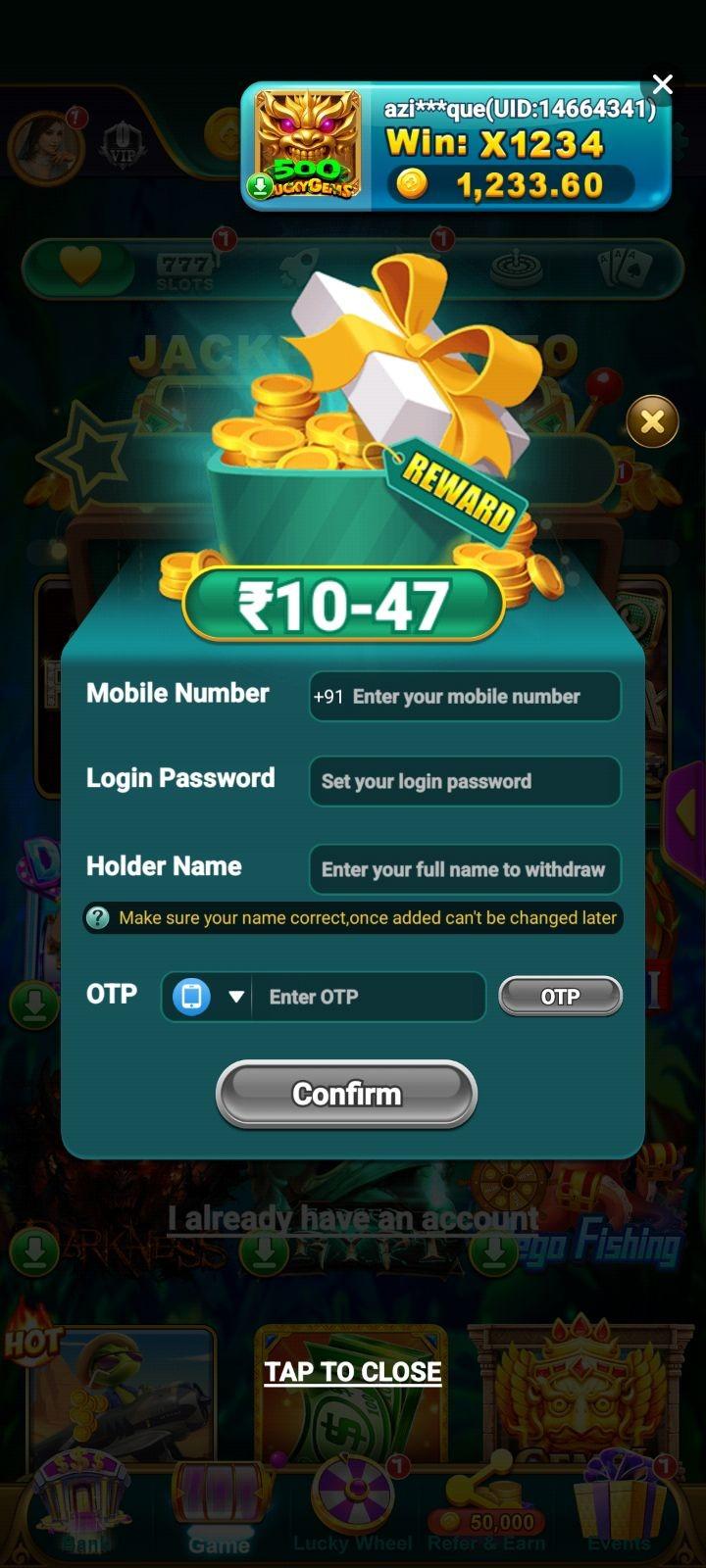
If you are a new user, tap the Claim Now button on the Welcome Bonus pop-up. The registration form will open on your screen.
Fill in the following details to create your account on any Yono Game App:
-
Mobile NumberEnter your 10-digit Indian mobile number with +91 country code.
-
Login PasswordSet a strong password for your account.
-
Holder NameEnter your full legal name exactly as it appears on your bank account. This name will be used for all withdrawals.
-
OTP VerificationTap the OTP button next to the field. A one-time password will be sent to your registered mobile number. Enter it in the field provided.
-
Confirm RegistrationTap the Confirm button to complete your registration.
Your welcome bonus will be credited to your app account instantly after successful registration.
3. How to Log in to a Yono Game App (Existing Users)
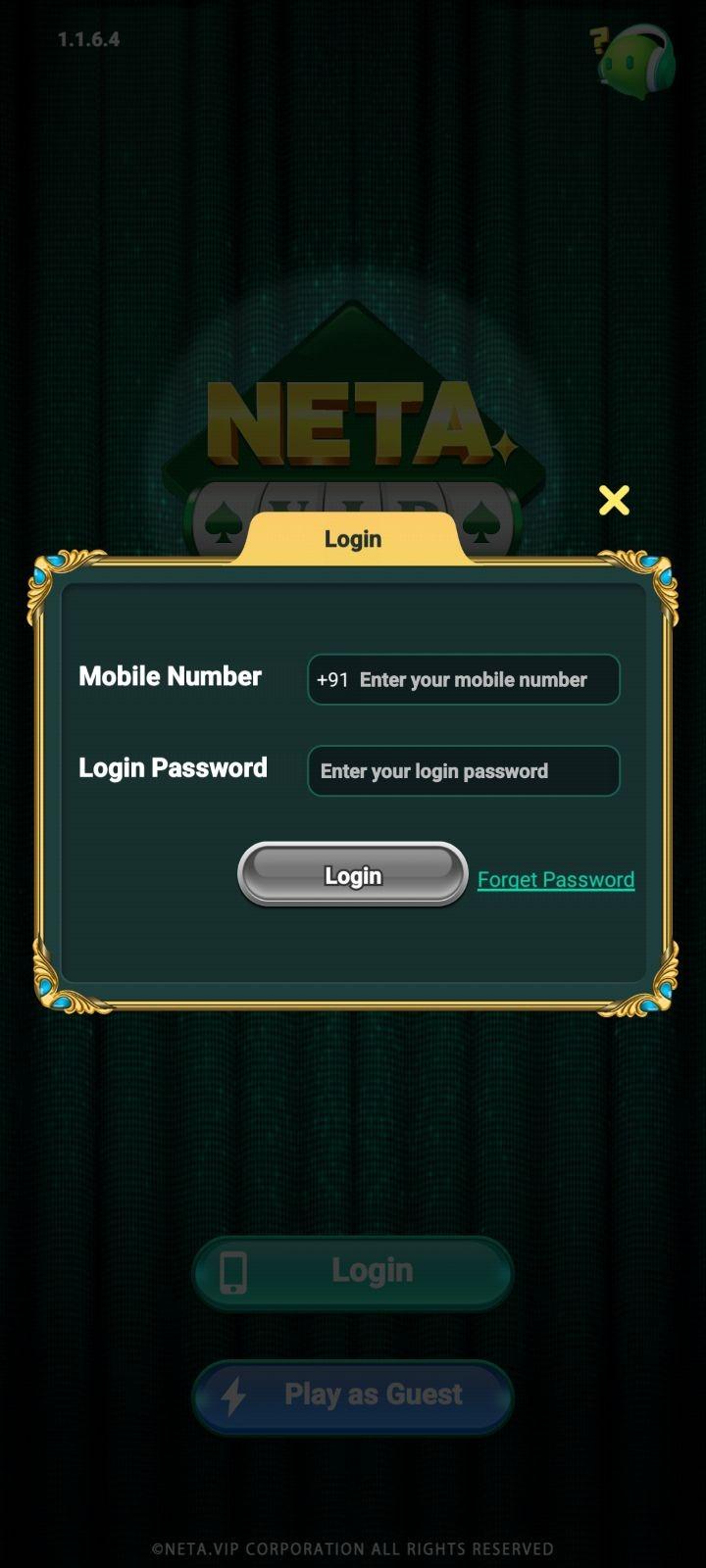
If you already have an account, tap I already have an account on the Welcome Bonus pop-up. The login screen will open on your screen.
Follow these steps to log in:
- Mobile Number: Enter the 10-digit mobile number you used during registration with the +91 country code.
- Login Password: Enter the password you set at the time of registration.
- Login: Tap the Login button to access your account.
Forgot your password? Tap the Forget Password link below the Login button. You will receive an OTP on your registered mobile number to reset your password.
4. How to Play as a Guest User
Not ready to register yet? On the Welcome Bonus pop-up, tap the Verify Later button. This will take you directly into the app as a Guest user, where you can browse all available games and explore the interface.
Please note the following limitations of Guest mode:
You cannot claim any signup or welcome bonus in Guest mode.
You cannot make real deposits or withdraw any earnings.
Your game progress and profile details will not be saved if you close the app.
You will need to register to play with real cash and win rewards.
We recommend registering with your mobile number to unlock the full experience and claim your free bonus.
Before downloading or registering on any Yono Game app, we recommend reading our Disclaimer and Terms & Conditions for important information about real-money gaming, eligibility, and platform usage.